Liberador for Windows
Download the Liberador app for Windows.
Open Windows download

Recommended first
Apps are the preferred setup path when your device supports them. They give you clearer onboarding and better compatibility with modern networks.
Download the Liberador app for Windows.
Open Windows downloadInstall Liberador from the Mac App Store.
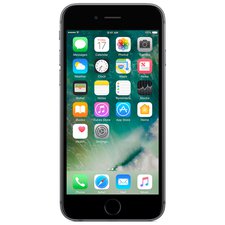
Open macOS downloadInstall Liberador from the App Store on iPhone or iPad.
Open iPhone and iPad downloadInstall Liberador from Google Play on Android phones and tablets.
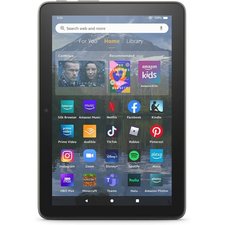
Open Android phone and tablet downloadInstall Liberador from the Amazon Appstore on Fire tablets.
Open Fire tablet downloadInstall Liberador from Google Play on Android TV devices.
Open Android TV downloadInstall Liberador from the Amazon Appstore on Fire TV devices.
Open Fire TV downloadUse Manual SmartDNS Setup when you want router-level coverage, need to configure a device where the Liberador app is not available, or explicitly prefer DNS-only setup.
Use the guides listed below if you wish to unblock a single device at a time. It is always a good idea to set up your computer first so you can check your setup on your account page.



















'%3e%3cg id='Final-Copy-2_2_' transform='translate(1275.000000, 200.000000)'%3e%3cpath class='st0' d='M7.4,12.8h6.8l3.1-11.6H7.4C4.2,1.2,1.6,3.8,1.6,7S4.2,12.8,7.4,12.8z'/%3e%3c/g%3e%3c/g%3e%3c/g%3e%3cg id='final---dec.11-2020'%3e%3cg id='_x30_208-our-toggle' transform='translate(-1275.000000, -200.000000)'%3e%3cg id='Final-Copy-2' transform='translate(1275.000000, 200.000000)'%3e%3cpath class='st1' d='M22.6,0H7.4c-3.9,0-7,3.1-7,7s3.1,7,7,7h15.2c3.9,0,7-3.1,7-7S26.4,0,22.6,0z M1.6,7c0-3.2,2.6-5.8,5.8-5.8 h9.9l-3.1,11.6H7.4C4.2,12.8,1.6,10.2,1.6,7z'/%3e%3cpath id='x' class='st2' d='M24.6,4c0.2,0.2,0.2,0.6,0,0.8l0,0L22.5,7l2.2,2.2c0.2,0.2,0.2,0.6,0,0.8c-0.2,0.2-0.6,0.2-0.8,0 l0,0l-2.2-2.2L19.5,10c-0.2,0.2-0.6,0.2-0.8,0c-0.2-0.2-0.2-0.6,0-0.8l0,0L20.8,7l-2.2-2.2c-0.2-0.2-0.2-0.6,0-0.8 c0.2-0.2,0.6-0.2,0.8,0l0,0l2.2,2.2L23.8,4C24,3.8,24.4,3.8,24.6,4z'/%3e%3cpath id='y' class='st3' d='M12.7,4.1c0.2,0.2,0.3,0.6,0.1,0.8l0,0L8.6,9.8C8.5,9.9,8.4,10,8.3,10c-0.2,0.1-0.5,0.1-0.7-0.1l0,0 L5.4,7.7c-0.2-0.2-0.2-0.6,0-0.8c0.2-0.2,0.6-0.2,0.8,0l0,0L8,8.6l3.8-4.5C12,3.9,12.4,3.9,12.7,4.1z'/%3e%3c/g%3e%3c/g%3e%3c/g%3e%3c/g%3e%3c/svg%3e) Your Privacy Choices
Your Privacy Choices